A site validates an eSource system before first patient in by proving in writing that the system meets the requirements the study places on it. The proof has two layers. The vendor evidences that the product works as designed, and the site evidences that its own configuration, forms and users work as intended for this protocol.
The MHRA is explicit that the second layer carries its own weight. Its GXP data integrity guidance states at section 6.19 that “acceptance of vendor-supplied validation data in isolation of system configuration and users intended use is not acceptable”. Validation is a site activity as much as a supplier one, and it produces documents for the site file.
What Does Validating an eSource System Mean?
Validation means establishing and documenting that a system’s specified requirements are consistently fulfilled. The EMA guideline on computerised systems and electronic data in clinical trials defines it at section 4.10 as a process running from design until the system is decommissioned or replaced. ICH E6(R3) Annex 1 section 4.3.4 asks for the same outcome through a risk-based approach proportionate to the risk to participants and to the data.
Three things have to exist before a site can say the system is validated for its study:
- Written requirements. The study’s needs are recorded as user requirements, which gives the testing something to test against.
- Documented evidence. Each requirement has a test with an expected result, an actual result and a pass or fail decision.
- A release decision. A named person signs the system into production on a stated date, before any participant data is entered.
Validation belongs to the study rather than to the purchase. A site that bought a validated product still has to show that the forms it built for this protocol behave correctly. Our complete guide to eSource in clinical trials sets out where this work sits.
Where Does eSource Validation Fail Before First Patient In?
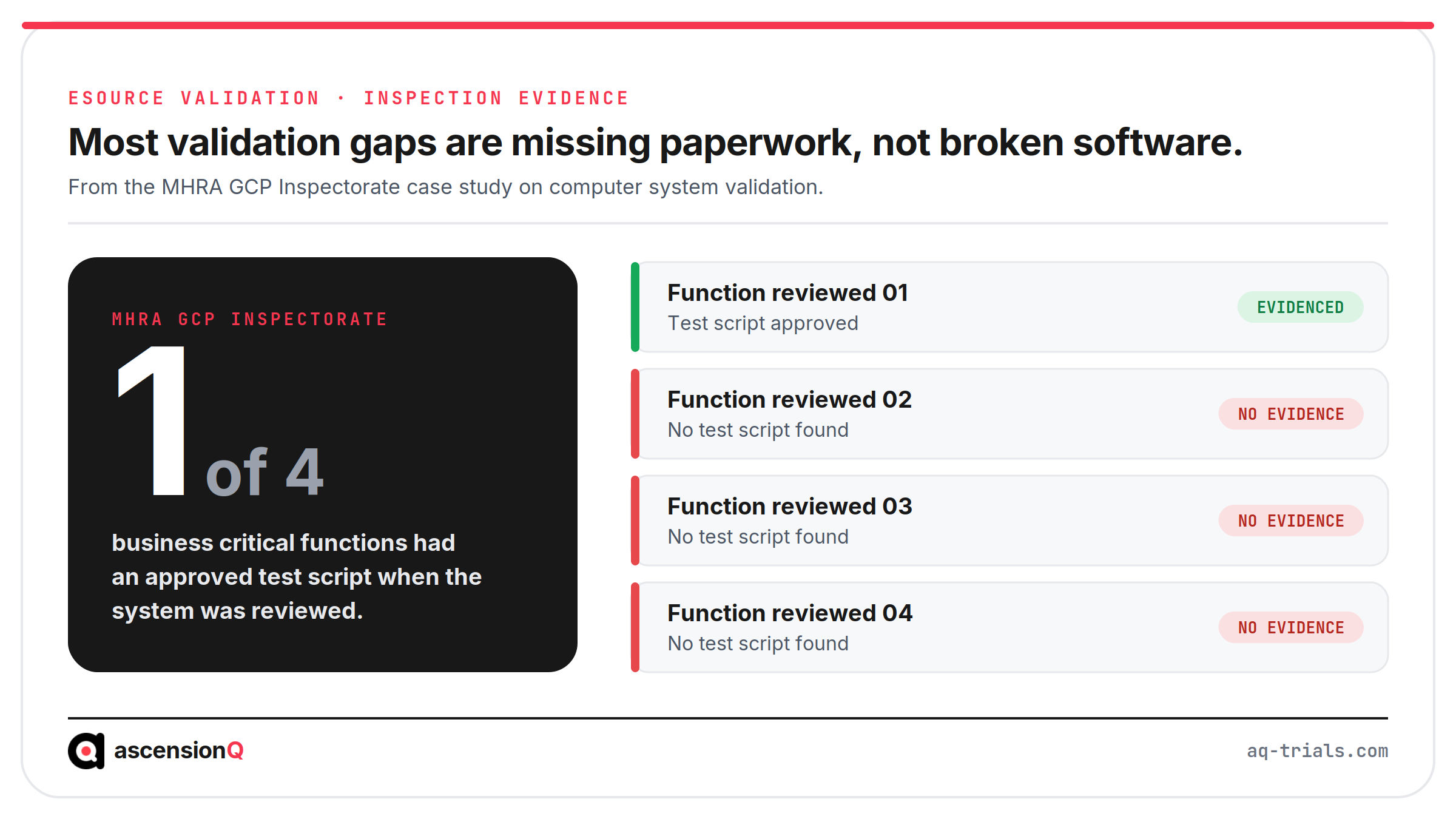
Validation fails in the paperwork more often than in the software. The MHRA GCP Inspectorate published a case study of a system released without the evidence to support it. Its findings describe a pattern inspectors still record.
- Specifications existed only in draft, so the testers had no approved requirement to test against.
- Test scripts existed for only one of the four business critical functions reviewed.
- Failed tests carried no documented retest and no closing decision.
- Developers changed the software between test rounds and the scripts were never re-approved.
- Training material reached users after the system was already in use.
The same pattern reaches site level. Consider a hypothetical NHS site opening its first eSource study. A research nurse opens the screening form for the first participant and finds that the weight field accepts a value in pounds. A coordinator configured that field three weeks earlier without knowing that a study-specific configuration is a validated change. The audit trail records a correction on day one, and the deviation log carries it for the life of the study.
The correction is cheap. The missing release record is not.
Validation sits in the build stage of the eSource record lifecycle, and an inspector reads it backwards from the first participant entry. Our guide to what the MHRA expects from electronic source systems covers the statutory duty behind that request.
Which Parts Does the Vendor Validate and Which Parts Does the Site?
The vendor validates the product. The site validates its own use of that product. This split is the central control in eSource validation, and an inspection tests both halves.
| Layer | What it covers | Who owns the evidence |
| Product validation | The software performs as designed across released functions | The vendor, assessed by the site or sponsor |
| Vendor assessment | The vendor’s evidence is adequate for this intended use | The site or sponsor |
| Configuration | Forms, edit checks, visit windows and roles match the protocol | The site |
| User acceptance testing | The configured system behaves correctly on real study tasks | The site |
| Release | The system is approved for production use on a stated date | The site, signed by a named person |
| Training and access | Each user is trained and holds only their delegated permissions | The site |
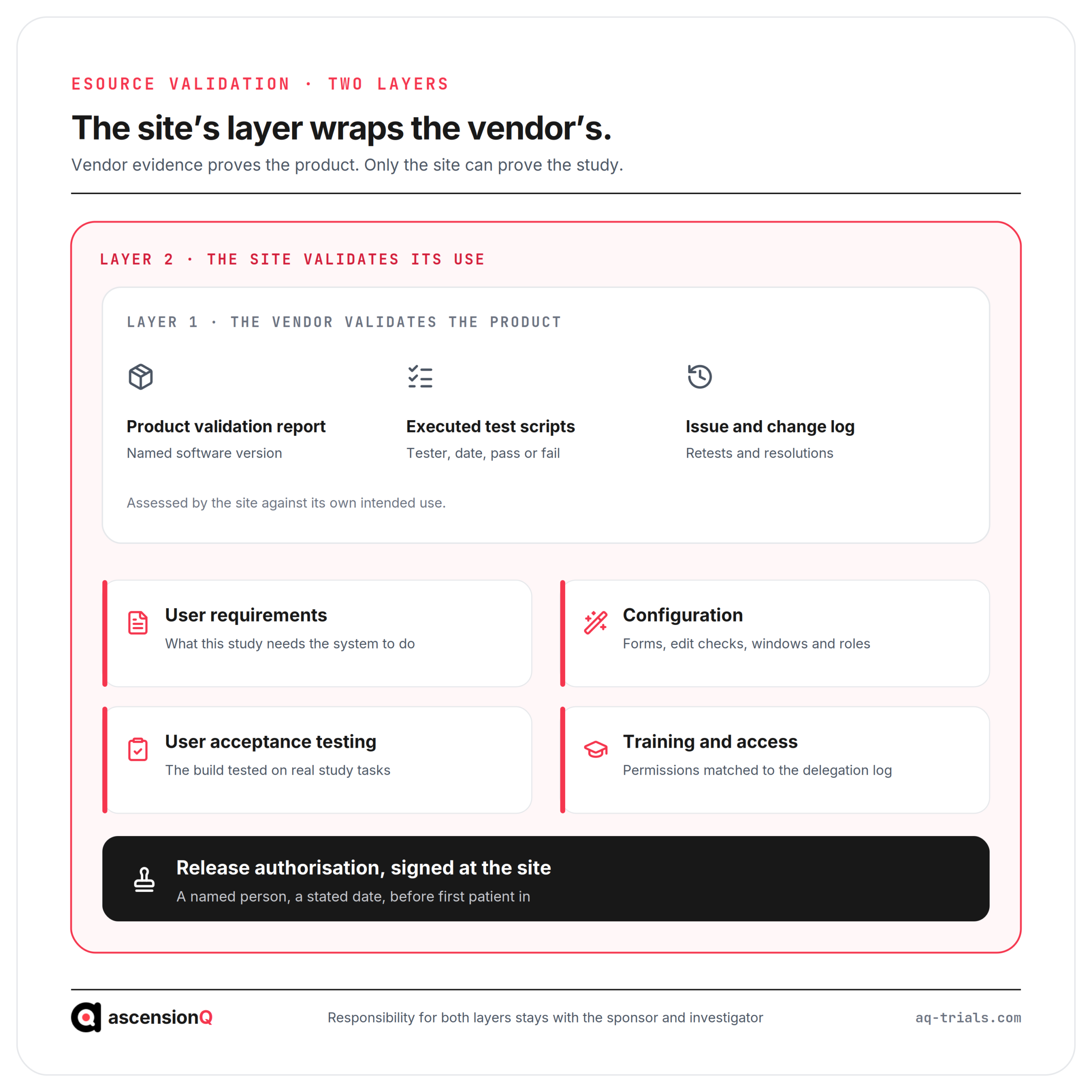
Responsibility stays where the law puts it. The EMA guideline places full responsibility for data integrity with the sponsor and the investigator, whoever performs the work. It also requires inspectors to be given access to validation documentation regardless of who produced it, so a site holding no copy needs a written route to obtain one.
How Should a Site Assess the Vendor’s Validation Evidence?
A site assesses vendor evidence against its own intended use and records the assessment. The MHRA GCP Inspectorate sets out what a useful assessment examines.
- Version match: the report names the software version the site will actually run.
- Coverage: every function the study depends on appears in the report, including those the site configures.
- Execution quality: test scripts show who tested, on what date and against which criteria.
- Fail resolution: failed tests have a documented retest and a recorded closing decision.
- Sequence: the dates show that testing completed before release rather than after it.
- Retention: the agreement keeps validation documents, supplier SOPs, training records and issue logs available for the retention period.
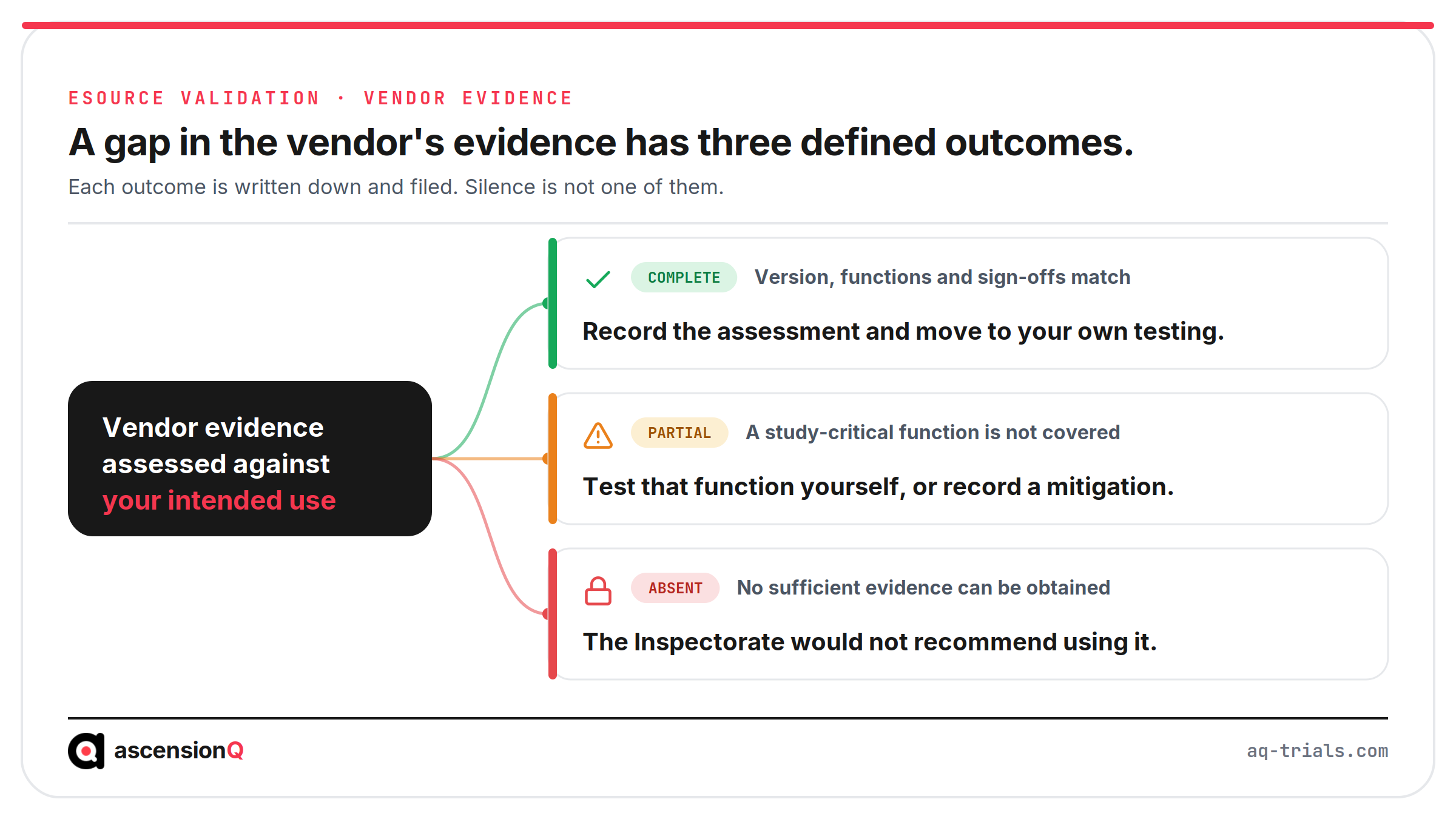
The Inspectorate’s position is direct. It states that it “would not recommend using a system for which you are unable to obtain sufficient evidence to demonstrate it is validated”. A site facing a gap it cannot close runs its own testing over that function, or records a risk mitigation and the reason.
Also Read: DSPT and Cyber Essentials: What NHS Procurement Expects of Research Software
What Do the Site’s User Requirements Have to Cover?
User requirements state what the system must do for this study, in enough detail to test. The EMA guideline asks for critical functionality to be described in user requirements or use cases, and it asks the responsible party to own them whether the site, the vendor or a service provider wrote them.
| Requirement type | Example from an eSource build |
| Functional | The week 4 form opens only inside the protocol visit window |
| Data integrity | Every change records the old value, the new value, the user and a reason |
| Operational | A delegated nurse completes a form and only the investigator signs it |
| Interface | Values reach the sponsor’s EDC by a defined and tested route |
| Security | Accounts are named and individual, with no shared logins |
| Availability | Records stay readable for the full UK retention period |
| Regulatory | The audit trail runs continuously and no user can switch it off |
The data integrity line carries the most testing effort, because each of the nine ALCOA+ attributes turns into a specific control at the point of capture. Our guide to whether eSource meets ALCOA+ maps every attribute to the control that evidences it. Requirements stay live throughout the study, and a protocol amendment that changes a form drives fresh testing against the updated version.
What Does User Acceptance Testing Test at the Site?
User acceptance testing puts the configured system in front of the people who will use it, on the tasks they will perform. It tests the site’s build rather than the vendor’s code. The EMA guideline sets out what every test case carries: the software version, the prerequisites, the steps taken, the expected result as acceptance criteria, the actual result with its evidence, and a pass or fail conclusion.
| Test scenario | What a pass proves |
| Open the screening visit form | Forms present against the right visit and window |
| Enter a value outside the protocol range | The edit check fires at the point of entry |
| Correct an entered value | The old value is retained with a reason |
| Sign a form as the investigator | The signature is attributed and dated by the system |
| Attempt the same signature from a nurse account | Permissions match the delegation log |
| Export one participant’s record | Data and audit trail are readable outside the system |
Permissions deserve their own attention. Access has to mirror the delegation of authority log exactly, because an account that can sign outside its delegated duties creates an audit trail entry no one can defend. A dry run of one complete visit exposes more than isolated tests. The site walks a fictional participant through screening and the first visit, and most gaps between protocol and build surface in a single afternoon.
Which Validation Documents Are Filed Before First Patient In?
The evidence pack is the deliverable. An inspector asks for it by name, and a site that produces it in minutes has already answered most of the question.
| Document | What it evidences |
| User requirements specification | What the system had to do for this study |
| Risk assessment | Why the testing effort was proportionate to the risk |
| Vendor assessment report | That the supplier’s validation was reviewed and accepted |
| Configuration specification | How forms, checks, windows and roles were set |
| UAT plan, scripts and results | That the build was tested and each result recorded |
| Issue log | What failed, what was fixed and what was retested |
| Release authorisation | Who approved production use, and on what date |
| Training records | That every user was trained before their first entry |
| User access list | That permissions match the delegation log |
| System SOPs | How corrections, access review and change control run |
The pack belongs in the investigator site file, and its SOPs belong to the site’s quality management system. Both stay current for the whole study, well past first patient in. Our guide to how to build a source data plan before the site initiation visit covers the source decisions filed alongside it.
What Happens When the System Changes After First Patient In?
Validation continues after go-live through change control. The EMA guideline states that new functionalities should not be used until they have been validated, or until the vendor’s documentation covering them has been reviewed and assessed. Four kinds of change reach a live study.
- Vendor releases: read the release notes, assess the impact on validated functions and run regression tests where a study-critical function changed.
- Protocol amendments: decide whether the changed configuration applies to every participant or only to those the amendment concerns.
- Site configuration changes: treat each form edit as a controlled change with a test, an approval and a date.
- Periodic review: confirm at defined intervals that the system remains in its validated state.
Every change carries a date for a practical reason. An inspector reconstructs the configuration in use on the day an entry was made, and the dates make that possible. Our guide to whether REDCap is enough for GCP-compliant clinical trials works the same two-level model through a system many academic sites run.
A site planning its first eSource study faces this validation work whichever system it selects. AQ is launching eSource soon as part of the AQ platform. Book a live demo to see the AQ platform today.